How to Delete Your Greenlight Account in 2025
- By PurePrivacy

-
6 January 2025
-
15 mins read
Table of Content
Table of Contents
- What is Greenlight?
- Why Is It Important to Delete Your Greenlight Account?
- How to Delete Your Greenlight Account
- Important Things to Consider Before Deleting the Account from Greenlight
- Is Greenlight Considered a Secure Platform?
- Secure Your Financial Data with PurePrivacy
- Frequently Asked Questions (FAQs)
- Secure Your Financial Statement by Deleting Unused Accounts
Greenlight is a popular debit card service for children and teenagers that enables parents to track their children's spending and establish financial limitations.
However, if you no longer use Greenlight, you can decide to cancel your account.
This guide will walk you through the steps required to permanently delete your Greenlight account.
We will also discuss some crucial things to consider before deleting your account.
What is Greenlight?
Greenlight is a debit card and money app designed for families. Their objective is to shine a light on the world of money for families and inspire parents to create financially savvy children.
Millions of parents and children use Greenlight to earn, save, spend sensibly, donate, and invest. Parents can set flexible spending limits, manage chores, automate allowances, and save for their children's futures.
Why Is It Important to Delete Your Greenlight Account?
There is no good reason to delete your Greenlight account unless you no longer require the service or have privacy concerns. Here's a list of the reasons that you may decide to delete it:
No Longer Needed
- Your child no longer requires the use of a debit card, or you found an alternate financial management tool that meets your needs.
- In this case, deleting your Greenlight account assures that you are not paying for a service you do not use.
Privacy Concerns
- Greenlight collects certain sensitive information about you and your child.
- While their privacy policy limits data usage, cancelling your account can decrease the amount of information collected about you.
Discover if Your Most Critical Identifiers Have Been Exposed on the Dark Web
Receive timely alerts and actionable insights with PurePrivacy's Dark Web Monitoring.

How to Delete Your Greenlight Account
- First of all, log into your Greenlight account using the mobile app.
- Then, navigate to the Settings section. The specific steps can vary based on your device and app version, but they usually appear under your Profile or Account menu.
- Once in the settings, search for the option to close your account. It might be labelled Delete Account or Close Account.
- Follow the on-screen prompts to confirm your deletion request. You might get asked to enter your password or PIN for verification.
- After confirmation, your Greenlight account will be deactivated and then deleted.
- Keep in mind that this process could take some time, according to Greenlight's policy.
Important Things to Consider Before Deleting the Account from Greenlight
Here are some key factors to consider before deleting your Greenlight account:
Transferring Any Outstanding Balance
- Make sure that all funds on your child's Greenlight card are transferred to a linked bank account or another card.
- If you do not do this before deleting the account, collecting the funds might be difficult.
Pause Instead of Deleting
- Consider pausing the account rather than deleting it entirely.
- This way, if you ever want to reactivate Greenlight, you do not need to go through the entire setup process again.
Download the Purchase History
- Make sure to download every transaction history or statement you might need for future reference.
- Once the account is deleted, this information will no longer be available.
Update Recurrent Transactions
- If you have any recurring payments or deposits set up through Greenlight, you will need to change the payment method once the account is cancelled.
Privacy Considerations
- Deleting your Greenlight account can decrease the amount of data that Greenlight stores about you and your child, as stated in their privacy policy.
Is Greenlight Considered a Secure Platform?
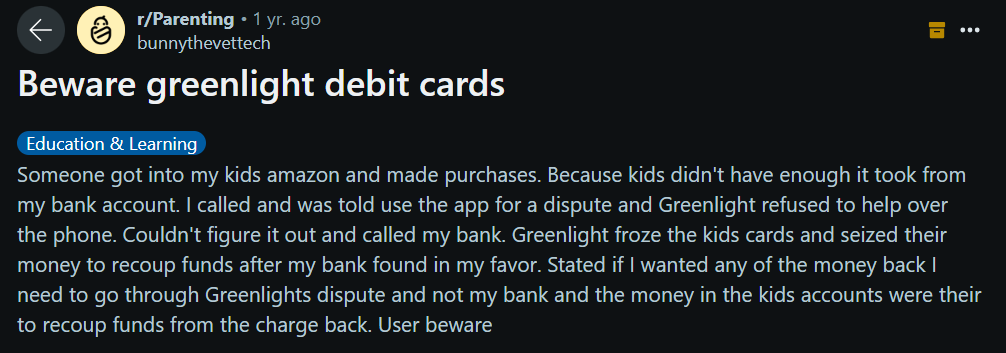
Greenlight is usually regarded as a secure platform. They use industry-standard data encryption and security procedures to protect user information. However, there are also inherent risks associated with using any digital platform.
These include potential data breaches, illegal account access via hacking or spyware, and the possibility of the card being lost or stolen.
Greenlight includes security features, but PurePrivacy can provide a further measure of safety for your social media accounts. It can detect and fix errors, as well as delete your search history.
Secure Your Financial Data with PurePrivacy
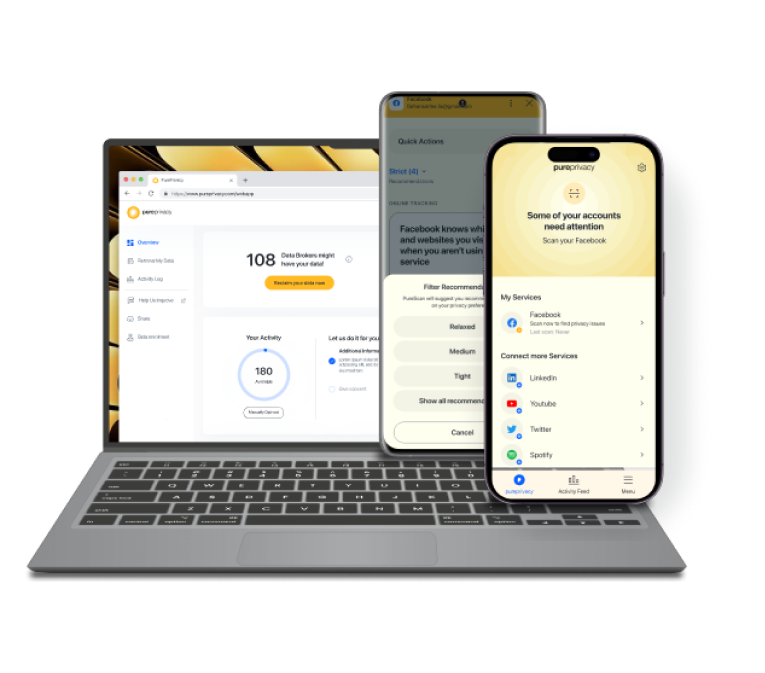
PurePrivacy is a comprehensive safety application that allows you to take control of your online privacy and data.
Your bank accounts, debit cards, and social media accounts are constantly monitored.
Get added privacy and manage what you share.
How You Can Get Added Privacy
Add Social Media accounts in-app
- Links your social media accounts (e.g., Facebook, Instagram) to the PurePrivacy app.
- Gives PurePrivacy permission to evaluate your accounts and make privacy recommendations.
- Enables centralised management of your social media privacy settings.
Recommendations To Improve Privacy
- Assess your current settings and permissions.
- Provides complete guidance for enhancing your privacy and security on each platform.
- Guides you through steps to improve your overall privacy posture.
View Data Broker Details
- Data brokers are classified into four categories: marketing, people search, recruitment, and risk reduction.
- Allows easy access to the information stored by each data broker in these categories.
- Provides a comprehensive knowledge of how data brokers utilise and manage your information.
Frequently Asked Questions (FAQs)
-
How do you remove your Greenlight history?

Tap on Watch History, and then click when it indicates in the upper right corner. Then, in the bottom left corner, select all. This will remove all of your watch history. If you want to keep all of the videos, you can go through and select the ones you want to delete.
-
Why was my Greenlight account deactivated?
Your access to Greenlight features (account, cards, investment options, app) may be limited or closed if required by the card issuer or regulators.
-
Would you recommend Greenlight?
While the Greenlight debit card has a lot to offer in terms of teaching children about money, the expenses associated with accessing the majority of its benefits may not be beneficial for some people. And if your major purpose is to build or assist your child's credit, you can not find such benefits there.
-
Can I use my Greenlight card at an ATM?
Your teen can also withdraw cash from an ATM using their Greenlight debit card. It is essential to point out that restrictions are in place to keep kids from spending recklessly. As the parent or guardian, you set the amount available in their "any ATM" spending category.
-
Simplify your online presence today
With PurePrivacy, make sure all your personal data remains safe without a hassle!

Secure Your Financial Statement by Deleting Unused Accounts
In conclusion, deleting your Greenlight account is a simple step if you no longer use the service or have privacy concerns.
Remember to transfer any remaining balances and update recurring transactions ahead of time.
While Greenlight prioritises security, you can also use data privacy options like PurePrivacy to manage your online presence.
Ultimately, the decision to delete your Greenlight account is yours!