How to Delete Sling TV Account in 2025
- By PurePrivacy

-
6 January 2025
-
11 mins read
Table of Content
Table of Contents
- What Is Sling TV?
- Why Is It Important to Delete Your Account from Sling TV?
- How to Delete Your Sling TV Account
- Important Factors to Consider Before Deleting Your Sling TV Account
- Is Sling TV Considered a Secure Platform?
- Protect Your Private Data with PurePrivacy
- Frequently Asked Questions (FAQs)
- Wrapping Up
Sling TV is a renowned streaming service that provides a wide range of live TV channels and on-demand entertainment.
However, if you no longer use it or have discovered a better service, you may wish to cancel your subscription and delete your account completely.
Deleting your Sling TV account is a straightforward online procedure that takes only a few minutes.
This guide will show you exactly how to delete your Sling TV account.
What Is Sling TV?
Sling TV is an American streaming television service run by Sling TV LLC, an entirely owned subsidiary of Dish Network.
The online multichannel video programming distributor, which was unveiled on January 5, 2015, at the Consumer Electronics Show, aims to complement subscription video-on-demand services for cord-cutters by providing a selection of major cable channels and OTT-originated services that can be streamed via smart TVs, digital media players, and apps.
Why Is It Important to Delete Your Account from Sling TV?
Deleting your Sling TV account is more than just cancelling your subscription. Here's why it may be important:
Secure Your Details
- Even if you cancel your membership, an inactive account with retained payment information may become a target for unwanted access.
- This vulnerability can be removed by deleting the account.
Temptation and Recurring Charges
- If you have an issue with reactivating subscriptions you thought you had cancelled, cancelling the account provides a clearer separation.
- You will not be attracted to sign up again and pay additional expenses.
Data Safety
- Sling TV, like the majority of services, collects user information.
- Deleting your account removes your profile and all associated details from their system.
How to Delete Your Sling TV Account
These are the steps mentioned below to delete your Sling TV account:
- First of all, go to slingtv.com and sign in to your account.
- After that hover the cursor over your user Profile and then click on the Manage Account option from the dropdown menu.
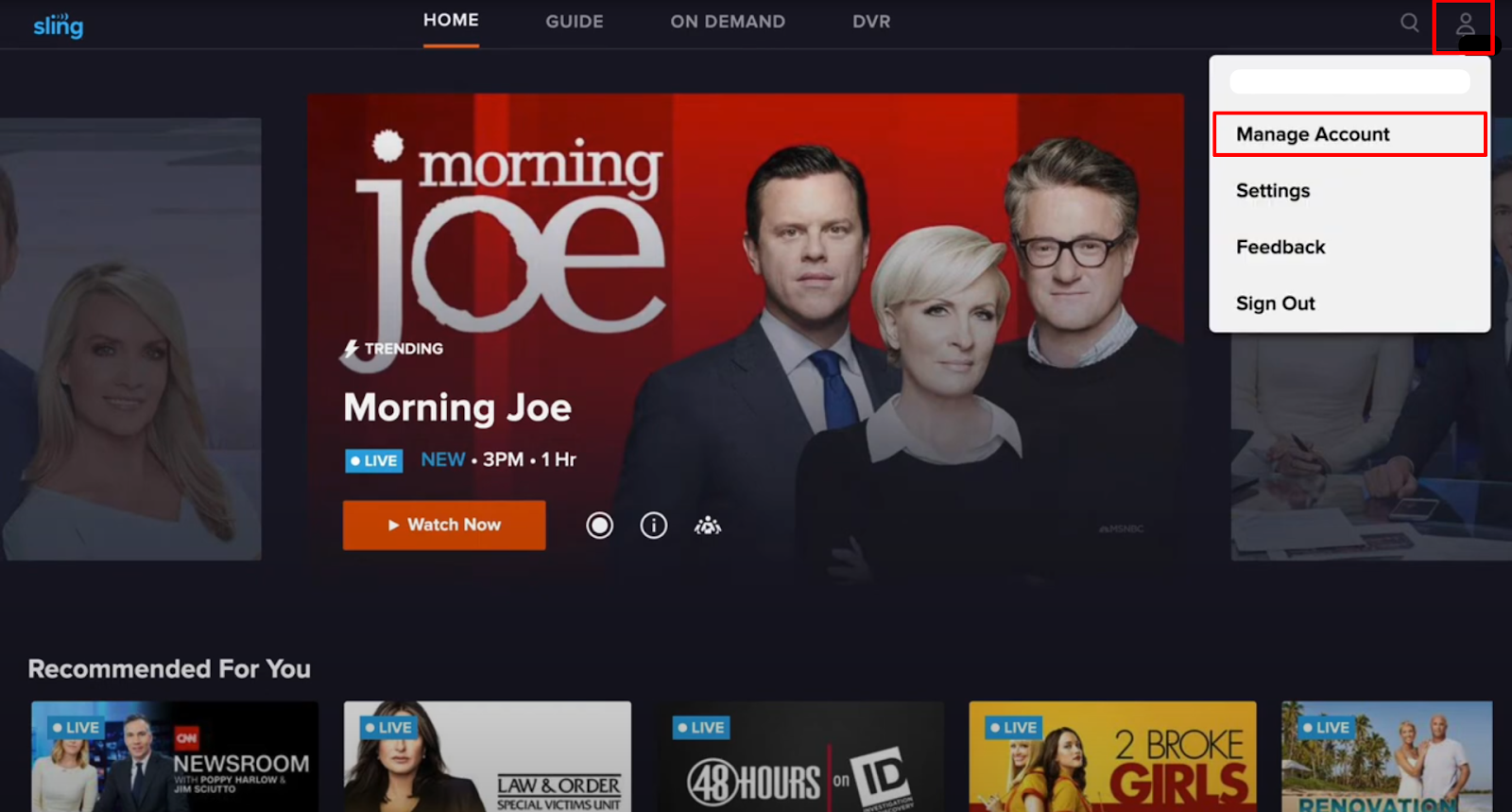
- Now on the Account page click on the link that says Cancel Subscription.
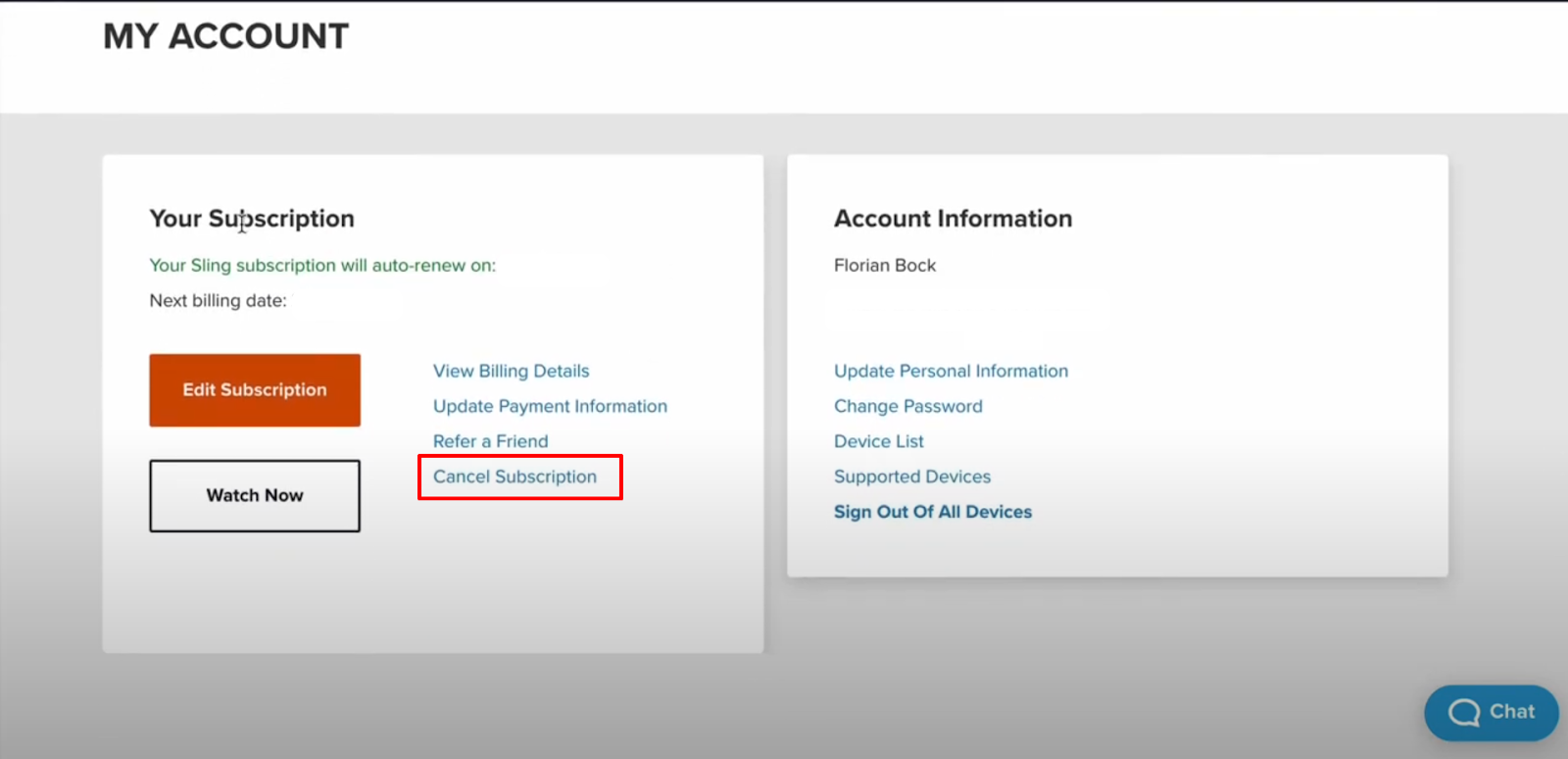
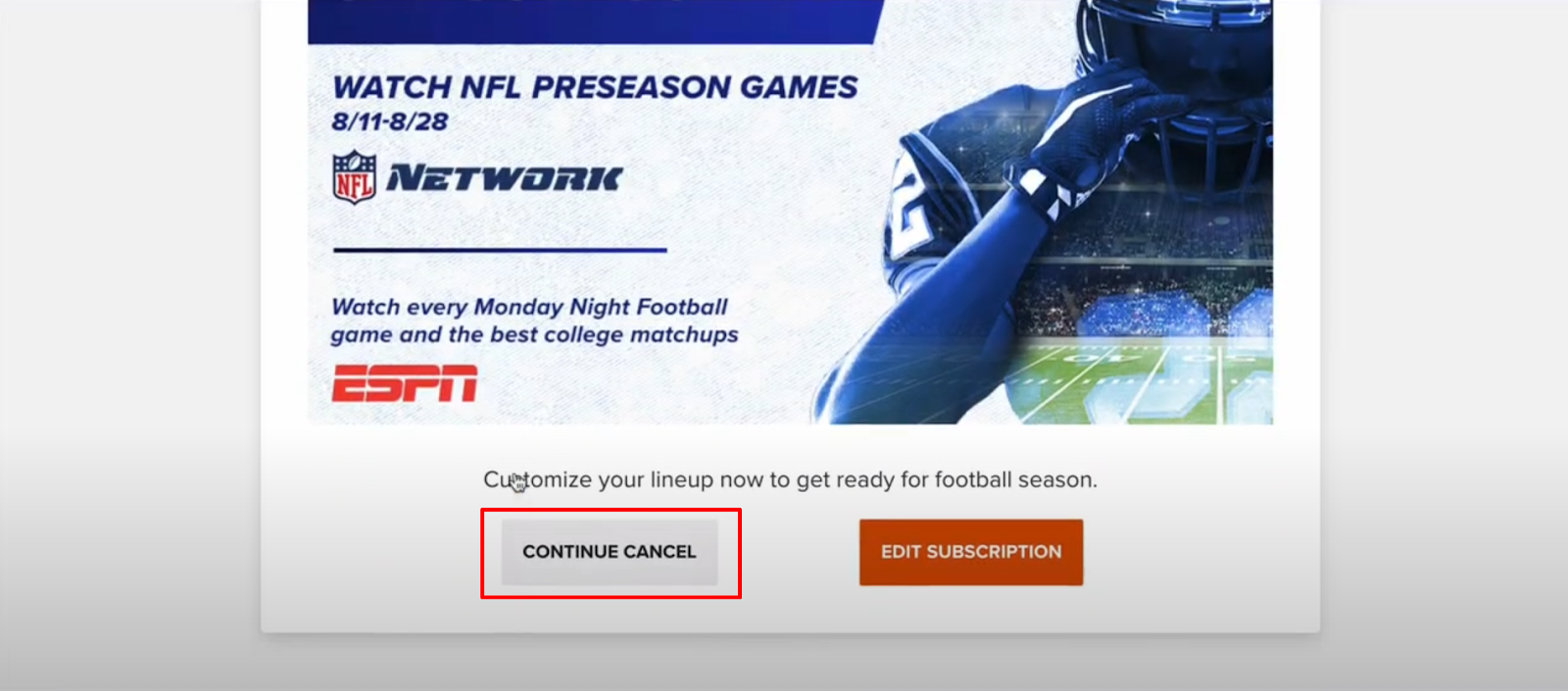
- After that click on the Continue Cancel button to confirm on the next page.
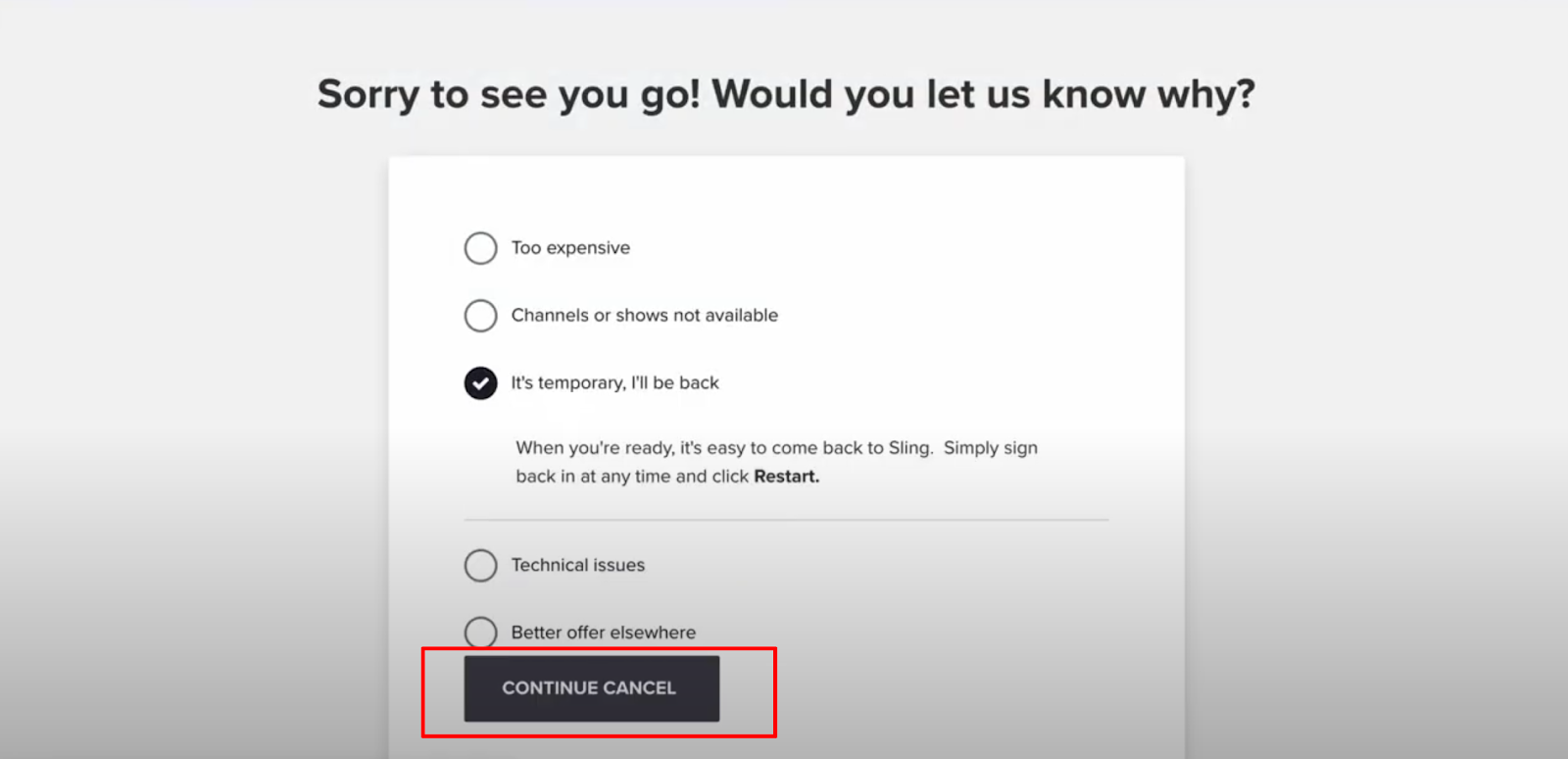
- Then you will be asked for the reason to cancel, click on the suitable reason then click on the Continue Cancel button again.
- You will be given another deal, click on the Cancel Subscription button if you do not want to get that deal.
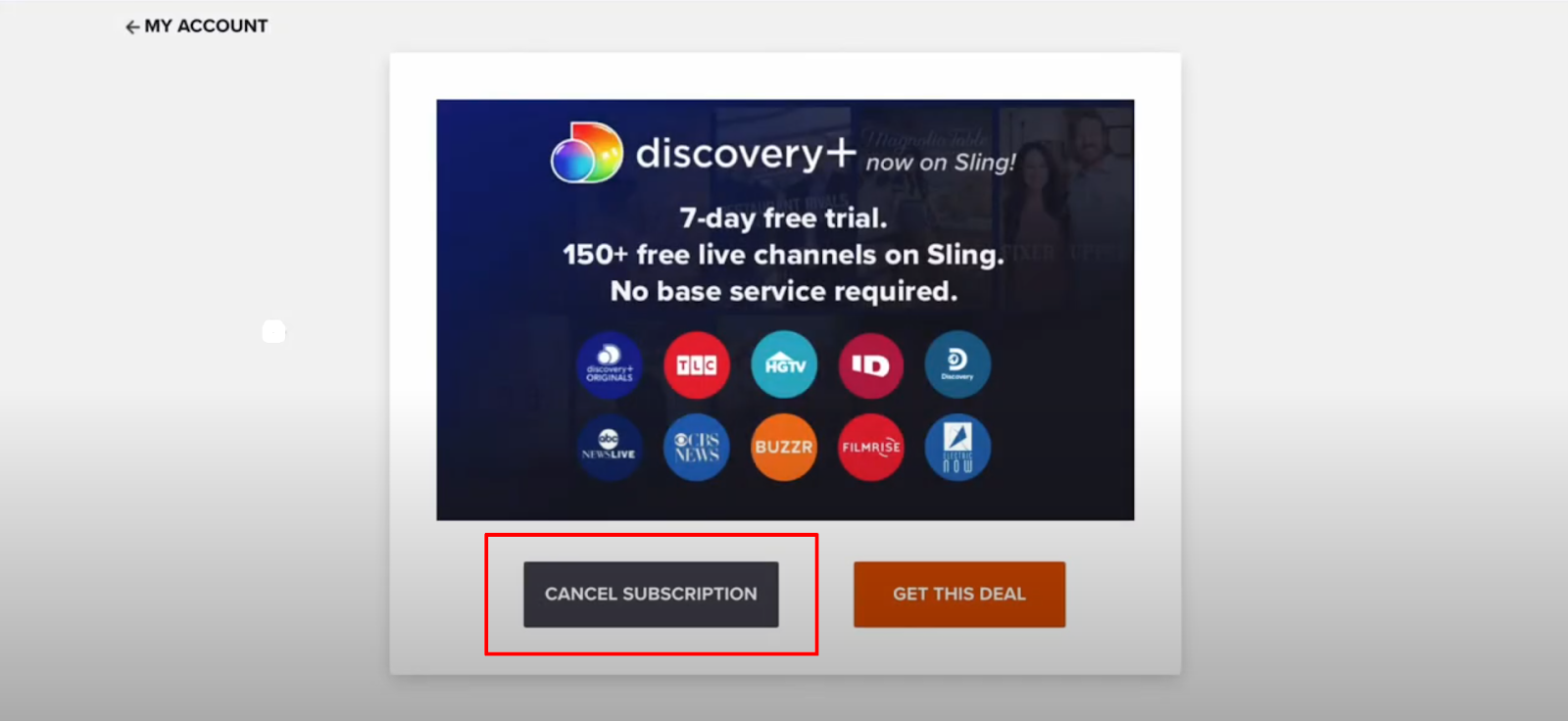
That is it, you can delete your account by following those steps.
Important Factors to Consider Before Deleting Your Sling TV Account
There are a few important considerations to make before saying goodbye completely. Here's what you should consider:
Potential Return
- If you haven't entirely ruled out using Sling TV in the future, try simply cancelling your subscription rather than deleting your account.
- This protects your profile information, making it quick to restart your service if necessary.
Special Offers
- Did you sign up for a promotional deal that has a set end date?
- In certain circumstances, cancelling your account may be unnecessary.
- Once the promotion ends, your subscription will be automatically cancelled, and your account may remain inactive.
Securing Your Data
- Even if you cancel your membership, an inactive account with stored payment methods could represent a security risk.
- Deleting the account removes both the vulnerability and your payment details from their system.
Information Safety
- Unlike many other services, Sling TV collects user information.
- Deleting your account deletes your profile and related viewing history, giving you more control over your data security.
Free Trials
- Before you delete completely, have you looked at other streaming providers that offer free trials?
- This enables you to try out your luck before subscribing to a new service.
Bundled Facilities
- Does your cable or internet provider provide a package that includes Sling TV or other streaming services?
- Deleting your separate account may not be essential if you can get the content through another provider you already paid for.
Is Sling TV Considered a Secure Platform?
Sling TV is usually regarded as an encrypted platform for streaming video. However, every time you make an online account and provide payment information, there is a security risk.
Leaving an inactive Sling TV account with saved payment methods increases the risk of unwanted access to the information. Deleting your account removes this risk and safeguards your sensitive information.
Find out more about how trustworthy Sling TV is by reading users reviews on it:

Even though Sling TV is secure, leaving an inactive account with stored payment details poses a risk.
PurePrivacy can help by providing security services such as Data Breach Monitoring, which checks to see if your information has been compromised by a data leak, and sends removal Requests to data brokers who may have received your information from Sling TV.
PurePrivacy reduces the possibility of unwanted access to your Sling TV account by reducing the amount of data stored there.
Protect Your Private Data with PurePrivacy
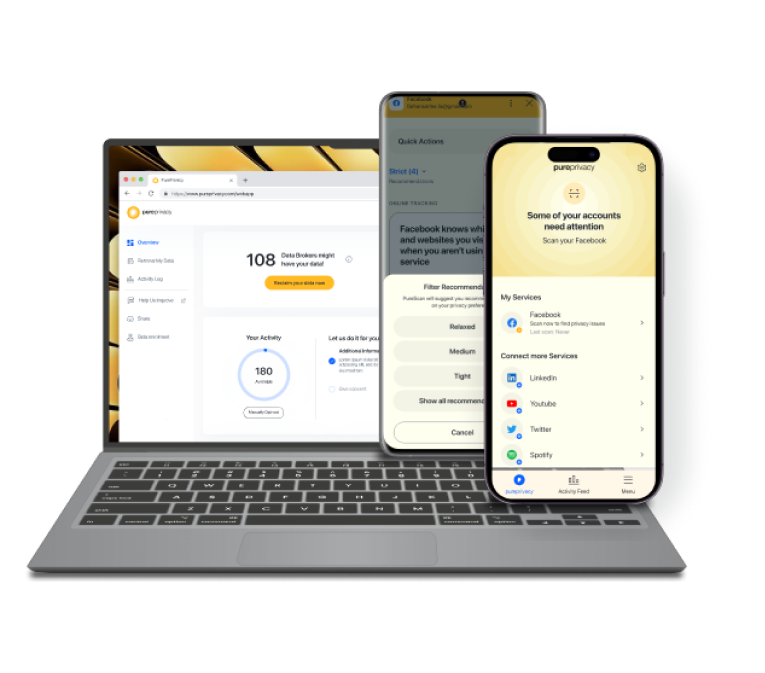
PurePrivacy is a comprehensive data safety app that allows you to control your online data and security across several platforms.
It helps you take charge of your online safety by optimising your social media settings, deleting undesired data from data brokers, and giving additional security features such as tracker blocking.
How Does PurePrivacy Secure Your Privacy
Social Media Management
- Links to your social media accounts (Facebook, Instagram, etc.) and examines privacy settings.
- It provides a Privacy Score to evaluate your entire security posture.
- Makes individualised recommendations to improve your social media privacy.
Data Removal and Management
- Provides a Remove My Data feature for requesting data deletion from data brokers (businesses that gather and market personal information).
- Creates a "Risk Score" to evaluate the potential threats related to your data owned by data brokers.
- Allows you to track the status of your data removal requests.
Tracker Blocker
- The app helps you block unwanted trackers that might record your digital footprints and later annoy you with targeted ads.
Frequently Asked Questions (FAQs)
-
How do I cancel Sling TV?

Sign in to your online account and choose Cancel Subscription from the My Account dashboard. Follow the on-screen directions to complete the process. If you are a paying subscriber, your subscription will be cancelled after the current billing cycle.
-
How can I cancel a service from Sling?
You can change your Sling TV subscription services using the My Account page. Start by signing into sling.com/my-account with your login information, then click the Edit Subscription option in the dashboard.
-
Can I suspend my Sling account?
If you're moving, travelling, or simply want to take a break from Sling, you may suspend your subscription. To do so, navigate to My Account, sign in, and click the "Pause Subscription" link: Choose how long you want to pause your subscription: one, two, or three months.
-
How do I remove my Sling profile picture?
Move your cursor over the grey circle with your initials to see the links for adding or removing your photo. Please keep in mind that updating certain information, such as your email address, will require you to confirm your password before the change can be saved.
-
Simplify your online presence today
With PurePrivacy, make sure all your personal data remains safe without a hassle!

Wrapping Up
To summarise, deleting your Sling TV account is a simple function that provides security and privacy benefits.
By following the steps suggested above, you can completely delete your account while protecting your private data.
Remember to consider the advantages and cons before deleting, taking into account potential future use and promotional opportunities.
For a further level of security, look into privacy options like PurePrivacy to reduce the data linked to your Sling TV account.